Soundbar vs Bookshelf Speakers for TV, Desk, and Music
By Tomas Novak • 1st Sep
Quick verdict
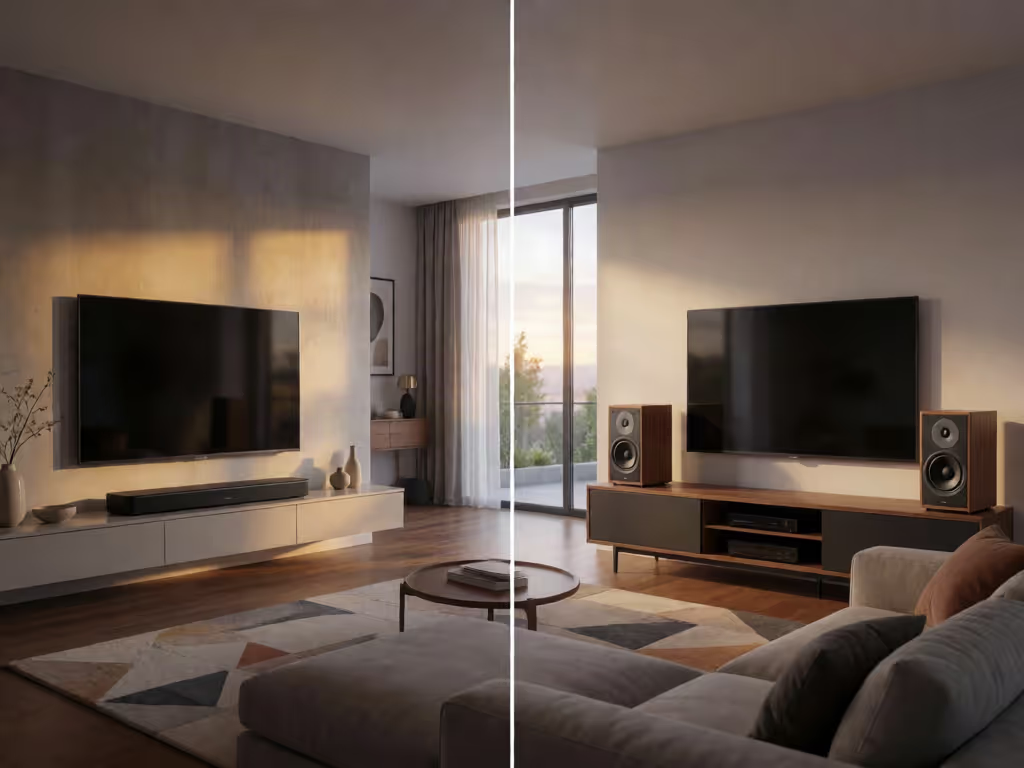
There is no universal winner: choose a soundbar for a TV-first setup built around a single unit and, where supported, HDMI ARC, or bookshelf speakers for physically separated stereo and more deliberate listening-position control.
- Choose a soundbar if: Your TV dominates the room and an HDMI ARC connection matters. Some models simulate surround effects, but results and features vary by model and room.
- Choose bookshelf speakers if: You can place separate left and right speakers around a main chair or desk position. Powered models simplify setup; passive pairs require an amplifier or receiver.
- Main trade-off: Soundbars use a single-unit layout. Bookshelf speakers provide physical stereo separation, but their imaging depends on spacing, height, toe-in, and listening position.
Important: The evidence does not establish that either category universally sounds better, and desk-specific comparative testing is limited. Check exact ports, placement requirements, and expansion needs before choosing.
The soundbar vs bookshelf speakers decision is not a contest with one universal winner. It is a routing and placement choice: do you want a TV-first signal path centered on one unit, or a physically separated stereo pair whose positioning is part of the result? For most rooms, the correct answer follows furniture, listening position, connection options, and tolerance for extra boxes, not the longest format logo on the carton.
Route first, then features; reliability makes rooms feel cinematic.
The short answer: choose by how you use the room
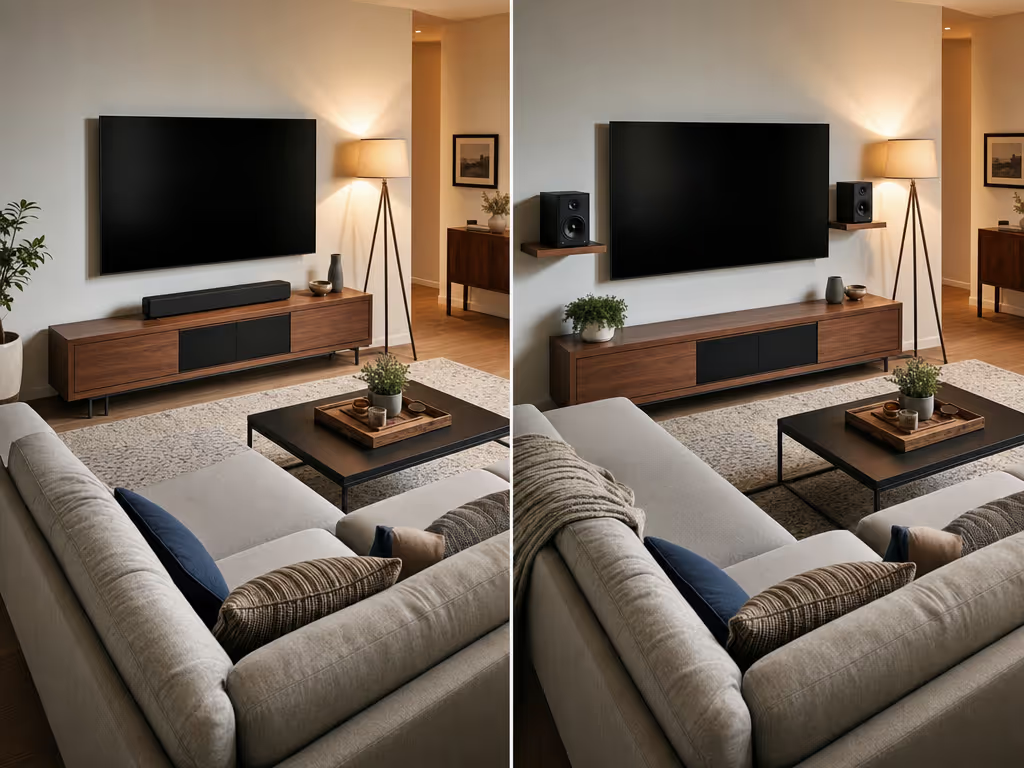
Choose a soundbar when the TV is the center of the room and you want one elongated unit below the screen, with an HDMI ARC connection as an option when both devices support it. This route lets that HDMI cable carry TV audio back to the audio system.
Choose bookshelf speakers when you can place a left and right speaker separately and sit within a sensible stereo triangle. Their purpose is not merely to be larger TV speakers. It is to establish two distinct sound sources, allowing stereo recordings and mixes to form an image between them.
For a desktop audio setup, powered bookshelf speakers contain amplification and inputs. The exact computer or TV connection still depends on the speaker: 3.5 mm, RCA, optical, and HDMI ARC are possibilities only where that particular model includes the relevant input.
Here is the practical split:
| Your priority | Better starting point | Why |
|---|---|---|
| TV-oriented single-unit setup | Soundbar | A soundbar is typically placed beneath the TV; ARC can return TV audio over the HDMI connection. |
| One fixed chair for music, games, or focused viewing | Bookshelf speakers | Separate left/right cabinets can be positioned around the listener for stereo imaging. |
| A compact desk with room on both sides of the display | Powered bookshelf speakers | Built-in amplification avoids a separate amplifier; stable placement remains important. |
| Spatial effects without placing multiple speakers around the room | Soundbar, model permitting | Some use virtual surround plus side- or up-firing drivers to simulate sound from different directions. |
| A path toward a traditional multi-speaker surround system | Passive bookshelf speakers | They can form part of a larger system when additional speakers, a subwoofer, and suitable amplification are added. |
The core difference: physical stereo versus simulated space
A soundbar is usually one long cabinet beneath a television. A bookshelf system is two separate cabinets working as a stereo pair. That physical difference determines the listening experience more than a label such as cinema or hi-fi.
Bookshelf speakers: stereo separation is a placement exercise
With bookshelf speakers, stereo separation vs virtual surround is not an abstract specification. Separation is created by where the two speakers sit relative to you.
Use this baseline route:
- Place the left and right speakers at roughly equal distances from your main listening position.
- Start with the speakers and listener forming a roughly equilateral triangle.
- Bring the tweeters near seated ear height where practical.
- Experiment with toe-in (aiming the speakers toward the listener) unless the manufacturer says the design should remain parallel to the wall.
- Adjust spacing before judging the system. Speakers placed too close together or too far apart can weaken stereo imaging.
This is why bookshelf speakers can reward a deliberate desk or sofa position. They also ask more of the room: active bookshelf speakers benefit from a solid, stable surface, while passive systems require an amplifier or receiver and speaker-wire runs.
Powered speakers have amplification built in. Passive speakers need a separate stereo amplifier or AV receiver. That is a real fork in setup complexity, cable count, and furniture planning, not a minor accessory decision.
Soundbars: a TV-first signal path
A soundbar favors a single-unit layout. For help optimizing that setup, see this soundbar placement guide. When a TV and audio system both support HDMI ARC, that connection can carry TV audio back to the audio system. ListenUp's comparison characterizes soundbars as using minimal wiring, typically one power cable and one HDMI cable, though connections vary by model.
Some soundbars marketed for 5.1, 7.1, or Dolby Atmos use virtual surround processing, side-firing speakers, or up-firing speakers to simulate sound arriving from other directions. These approaches can be useful when you do not want speakers placed around the seating area.
But keep the architecture straight. A discrete 5.1.4 Dolby Atmos layout uses five ear-level speakers, a subwoofer, and four height speakers. An Atmos-branded soundbar is not automatically the same physical arrangement. Upward-firing sound also relies on reflection from the ceiling, so room geometry and surfaces matter.
TV use: make connection compatibility the first filter
For a TV sound system, check ports before comparing formats or presets. The most serviceable plan is the one your equipment can actually complete without unreliable switching.
Start with ARC or eARC
HDMI ARC allows the cable connecting the TV and audio system to carry TV audio back to that audio system, provided both devices support ARC. eARC provides higher audio bandwidth than ARC; lossless Dolby Atmos using Dolby TrueHD requires eARC and compatible equipment at both ends.
ARC/eARC availability is model-specific, so read the manuals for the exact TV and audio device, then map the route:
- TV apps: TV audio output → ARC-capable audio input, if both ends support ARC.
- External streamer or console: confirm whether it connects to the TV first or directly to the audio device, and verify the ports available on that model.
- Powered bookshelf pair: use the compatible input the speakers actually provide; do not assume HDMI ARC is present.
- Passive bookshelf pair: account for the amplifier and speaker-wire runs in the route from the beginning.
This is basic ARC vs optical guidance: identify the source, the display, and the audio sink, then use the simplest supported path. If a setup depends on auto-switching or TV-controlled volume, test those behaviors during the return window.
For a ceiling-mounted projector or a media cabinet at the other end of the room, the same rule becomes more important. Map the full signal path before buying hardware. A tidy, accessible long run in a paintable raceway is often more valuable day to day than chasing a marginal format upgrade.
Desk and music use: do not let the TV dictate the choice
At a desk, compare the available speaker geometry with the single-unit alternative; this under-monitor PC soundbar setup guide covers desk-specific placement and connection details. If you can position a pair around one listening seat, powered bookshelf speakers can provide built-in amplification and inputs, provided the model has a compatible computer connection.
The desk plan is simple:
- Put active speakers on a solid, stable surface to help avoid vibration or rattling.
- Keep the pair balanced around the display and your chair as the desk allows.
- Use the equilateral-triangle idea as a starting point, not a rigid measurement target.
- Confirm the input from computer to speakers before purchase.
Bookshelf speakers are not automatically "bookshelf-ready"; their placement and connection requirements vary by model.
For music in a living room, the decision again turns on habits. If you regularly sit in one main position and can give the pair meaningful separation, bookshelf speakers make the physical stereo layout possible; readers prioritizing this use case can also explore this guide to soundbars for music. In a shared, furniture-constrained room, compare the available layout and connection routes before deciding.
A decision checklist before you buy
For a broader needs-based decision process, use this soundbar buying guide alongside the checklist below. Make the decision with a tape measure and a port check, not a feature comparison tab open in five browser windows.
Choose a soundbar if most of these are true:
- Your TV is the primary source and you want one unit below it.
- You have a compatible ARC connection and prefer that cable route.
- You cannot place a left and right speaker with reasonable symmetry.
- You want an option that may simulate wider or overhead effects without deploying separate speakers around the room.
- You prefer a single-unit form factor.
Choose bookshelf speakers if most of these are true:
- You can place two cabinets apart from each other and face a main listening position.
- Physical stereo separation is a priority.
- You are willing to adjust spacing, height, and toe-in.
- You understand whether you are buying powered speakers or committing to a passive pair plus amplification.
- You may eventually build a discrete surround system from passive speakers and additional matched components.
FAQ
What is the point of bookshelf speakers?
They create a two-speaker stereo system with physical left-right separation. When positioned around the listener, their spacing and angle influence stereo imaging. Powered versions simplify the component count; passive versions require separate amplification.
Are bookshelf speakers enough for TV?
They can be, conditionally. Powered bookshelf speakers can connect directly to a TV when they include a compatible input. Passive speakers require an amplifier or receiver. A basic stereo TV setup is different from a multichannel surround system, which needs additional speakers and suitable equipment.
What are the disadvantages of a soundbar?
The main trade-off is architectural rather than universal: a single cabinet does not give you the same physical left-right speaker placement as a separate pair. Soundbars may use virtual, side-firing, or up-firing approaches for spatial effects, and the result depends on the specific unit and room. Also, ARC/eARC availability and expansion options are model-specific features.
Final route: pick the system you can place and connect well
The best bookshelf speakers vs soundbar choice is the one that respects the room. A soundbar is a TV-oriented single unit, and HDMI ARC can carry TV audio back to a compatible audio system. Bookshelf speakers allow a separate left-right layout, with a roughly equilateral speaker-and-listener triangle as a useful starting point. For desk use, confirm placement and connections for the exact speakers rather than assuming a category-wide advantage.
Before moving on, sketch your room, mark your screen or desk, measure the possible speaker positions, and list every actual input on the TV, computer, and audio device. Once the route is clear, feature decisions become smaller, and the system is far more likely to work smoothly when the room is full and it is time for a weekend film.
Related Articles

Comparisons & Face-Offs
PC Gaming Soundbar Comparison: Razer Leviathan V2 vs Stage SE
15th Aug•12 min read
Comparisons & Face-Offs
Accent Clarity Soundbar Comparison for Multilingual Dialogue
2nd Jun•13 min read