
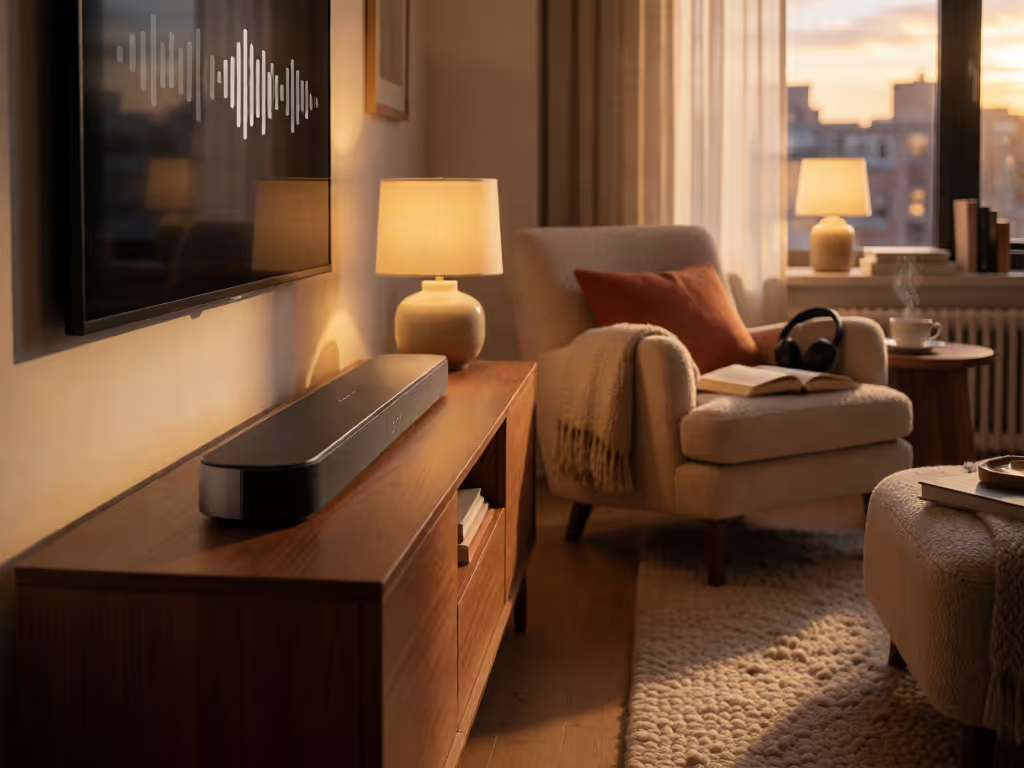
Best Soundbar Picks & Buying Guides
Best Soundbar for Podcasts and Audiobooks at Low Volume
7th Oct•12 min read
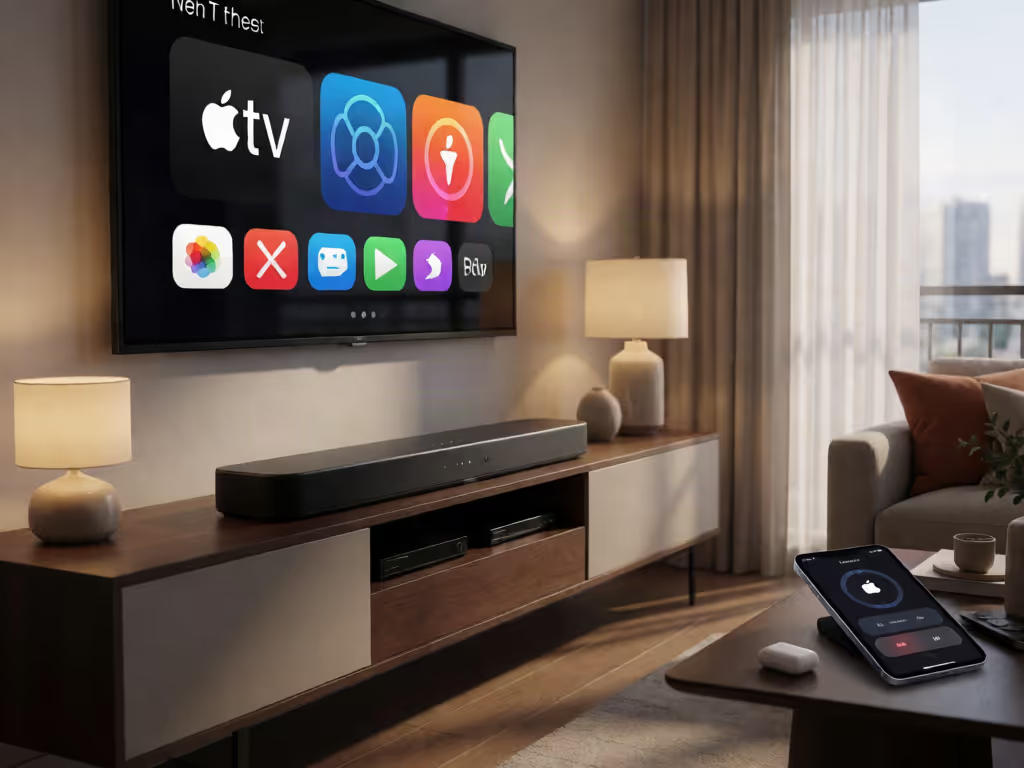
For Apple-device streaming, choose the Samsung HW-S61D as the most practical all-in-one option; choose the Samsung HW-Q990C if you want a fuller surround package with included rear speakers. The Sony HT-X8500 is better treated as a straightforward HDMI ARC/eARC TV-audio bar, not an Apple-streaming choice.
Important: Confirm the exact model, region, and desired workflow before buying: the collected information does not document Home app control, Siri control, Apple TV handoff, or HomePod grouping for these soundbars.
An Apple HomeKit soundbar comparison starts with a useful correction: the three bars here are not verified as HomeKit-native devices. Neither Home app enrollment nor Siri voice control is confirmed for any of them. For an Apple household, the smarter shopping question is narrower: which bar best supports Apple-device music streaming while keeping a clean TV signal path? In this AirPlay 2 soundbar comparison, Samsung's HW-Q990C and HW-S61D are the relevant candidates because they list AirPlay 2 support, while Sony's HT-X8500 is a TV-audio-first alternative with verified ARC/eARC but no verified AirPlay or Apple integration.
That distinction matters. AirPlay capability can be valuable for sending music or podcasts from an Apple device to a soundbar. For these models, the collected information does not establish HomeKit audio, Home app control, Siri control, Apple TV handoff, HomePod grouping, or use as an Apple TV default audio output. Treat those as separate workflows that need confirmation for the exact model and region before you buy. For a deeper look at AirPlay 2, HomeKit, Siri, and Spatial Audio compatibility, see our Apple HomeKit soundbar compatibility guide.
Route first, then features; reliability makes rooms feel cinematic.
| Best fit | Pick | Why it fits | Important limit |
|---|---|---|---|
| Full surround package for a larger TV room | Samsung HW-Q990C | AirPlay 2, 11.1.4-channel configuration, and included rear speaker kit | AirPlay 2 is listed; no HomeKit or Siri support is verified |
| Apple-device streaming around a TV | Samsung HW-S61D | Wi-Fi, AirPlay, and HDMI ARC/eARC are listed; AirPlay 2 is noted | No wireless subwoofer or rear speakers are included; HomeKit and Siri are unverified |
| Straightforward wired TV/projector audio | Sony HT-X8500 | Supports HDMI ARC and eARC; described as having built-in subwoofers | No verified AirPlay, HomeKit, or Siri support |
If your priority is streaming from an iPhone or iPad, start with the Samsung choices. If your priority is simply getting dependable television sound over HDMI (especially when the display is the central source), the Sony belongs in the conversation, but not as an Apple-audio contender.
The phrase "Apple ecosystem" blends several unrelated functions. Separate them before a soundbar specification sheet does it for you.
This is the only Apple-specific workflow clearly supported for the Samsung models here. The HW-Q990C supports AirPlay 2 with iOS 11.4 or later. For the HW-S61D, the spec lists AirPlay and Wi-Fi, and some materials call that AirPlay 2.
That gives the Samsung pair a clear advantage if you want to send music, podcasts, or other audio from a compatible Apple device to the bar. Because the S61D's spec does not name the AirPlay generation, verify the current product documentation in your region if AirPlay 2 specifically is non-negotiable.
This is an HDMI-routing question, not an AirPlay question. Our HDMI ARC vs optical comparison explains how connection choices affect audio quality, reliability, and feature support. A typical arrangement is:
Apple TV / console / TV apps
 ↓
 TV
 ↓ HDMI ARC or eARC
 Soundbar
The TV is the switch; the soundbar is the audio sink. This approach keeps television audio on the HDMI connection rather than relying on a soundbar's wireless streaming feature.
Do not assume that a bar with AirPlay, Wi-Fi, or a built-in third-party assistant becomes a HomeKit accessory. There is no verification of HomeKit certification, Home app control, or Siri voice control for any model in this comparison. If you want soundbar actions triggered by scenes, sensors, or other smart-home events, our home automation integration guide covers how HomeKit and other platforms can handle more advanced automation. The HW-S61D lists Alexa built-in, but Alexa is not Siri.
That is not a minor semantic detail. It determines whether your desired command is "play audio from my phone" or "control this soundbar from Apple Home." Only the first is supported for the Samsung bars in this comparison.
The Samsung HW-Q990C is the right option when your room can use a full surround package and your Apple requirement is AirPlay 2 streaming rather than HomeKit control. It offers an 11.1.4-channel configuration, includes a rear speaker kit, and supports AirPlay 2 for iOS 11.4 or later. That combination puts it in a different class from a single-bar solution, because it is designed around more speakers and a broader physical layout.
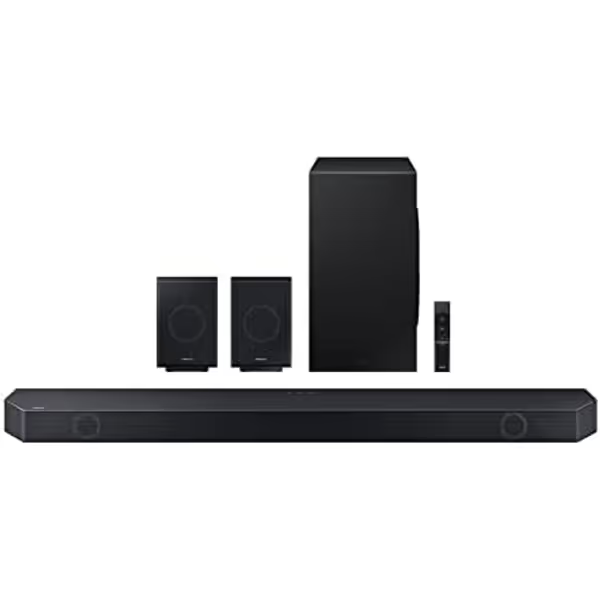
The planning consequence is simple: do not buy it for a narrow media console and decide where the rear speakers go later. First confirm that the seating area has a sensible left/right rear position and that power is available where the components need it. Use this soundbar placement guide to check wall-mounting, cabinet placement, and room-positioning considerations before committing to the Q990C's surround layout. A system with included rear speakers can be a strong fit for a dedicated family-room seating zone; it may be an awkward fit when the sofa floats in an open room, seating is against a wall, or cable concealment is a household priority.
For dialogue-sensitive households, its feature set includes Adaptive Sound and Active Voice Analyzer. Those are manufacturer-described processing features, not a guarantee that every room or streaming app will sound the same. Still, the underlying buying logic is sound: if voices are the recurring frustration, prioritize a bar with explicit dialogue-oriented processing before chasing format badges.
The feature list also includes Game Mode Pro, Q-Symphony, SpaceFit Sound Pro, and a built-in voice assistant. The Apple angle remains AirPlay 2 streaming, not verified Apple TV soundbar integration beyond the standard HDMI route through your television.
Choose the HW-Q990C if: you have room for a soundbar and rears; want AirPlay 2; and prefer an included surround layout over a minimal footprint.
Skip it if: you need verified HomeKit or Siri operation, or your room cannot accommodate rear-speaker placement without turning the living room into a cable project.
The Samsung HW-S61D takes the opposite approach: it is an all-in-one bar rather than a package with included rear speakers. The spec lists five channels, Wi-Fi, AirPlay, and HDMI ARC with eARC. Some product materials also note AirPlay 2 support with iOS 11.4 or later. The main bar measures 670 × 62 × 105 mm (width × height × depth), a useful concrete figure when you are checking a low TV stand or trying to keep a bar from crowding the screen.

For renters and smaller rooms, that physical simplicity is often the feature that lasts. There is no included wireless subwoofer and no included wireless rear speakers. That means fewer components competing for floor space, fewer power-location decisions, and fewer visible links in the room. It also means you should not expect this package to deliver the same hardware layout as the Q990C; these are not like-for-like purchases.
The S61D is the most balanced candidate for someone who wants Apple-device music streaming and a disciplined TV connection without building a multibox surround system. Connect the bar to the television's HDMI ARC/eARC port, enable the appropriate ARC/eARC setting in the TV menu, and use the television as the central input point. For step-by-step instructions covering ARC, optical, and Bluetooth soundbar setup, follow our dedicated connection guide before troubleshooting streaming or TV-audio behavior. Then use AirPlay when you are intentionally streaming music from an Apple device.
Its feature list includes Alexa built-in and works-with-Google support, and features like Adaptive Sound, Active Voice Analyzer, and Game Mode Pro. None of that turns it into a Siri device. If privacy or assistant clutter is a concern, decide in advance which control method you will actually use: television remote over HDMI-CEC, the soundbar remote, or the relevant app. "More assistants" does not necessarily mean a more seamless Apple audio experience.
The S61D is also the only model here with dimensions listed. Measure in three directions (not just width):
Choose the HW-S61D if: your real need is tidy AirPlay-capable music streaming plus HDMI ARC/eARC TV audio in a small-to-medium room.
Skip it if: you need included rears or a separate included subwoofer, or if HomeKit control is the requirement rather than AirPlay streaming.
The Sony HT-X8500 has a clearer case as a compact TV-audio component than as an Apple ecosystem component. This model supports HDMI ARC and eARC. It is described as an all-in-one soundbar with built-in subwoofers. That is useful for a room where a separate subwoofer is impractical, but there is no verified AirPlay, HomeKit, Siri, Home app control, or Apple-device streaming support for this model.
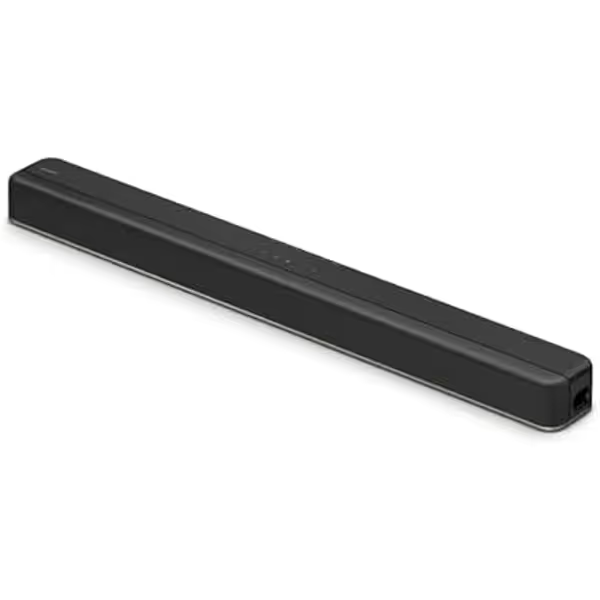
There are also conflicting descriptions around channel configuration: one source labels it 2.1-channel while another uses 7.1.2-channel terminology. Without a clear resolution for that mismatch, do not choose it based on a promised channel count. Choose it only for the elements that are clear: it is an all-in-one Sony bar with built-in subwoofers and verified ARC/eARC compatibility.
For a conventional television setup, its route is straightforward:
TV HDMI ARC/eARC port -- HDMI cable -- HT-X8500 HDMI TV connection
If the display has only ARC, use ARC. If both TV and soundbar support eARC and your source chain is configured for it, use eARC. The advantage is not a checklist victory; it is reducing variables. One soundbar, one HDMI connection, and one TV remote route are easier to keep stable than a collection of adapters and alternate outputs.
For a projector, pause before buying any of these solely on the expectation of ARC. Projectors vary widely in how they handle audio return. Map the signal path from every source (streaming box, console, disc player) to the projector and the soundbar before selecting hardware. If the projector does not provide a suitable return channel, you may need a compatible HDMI switch with eARC extraction rather than relying on the projector to behave like a TV.
I have seen the pattern with a ceiling-mounted projector and a media cabinet at the far end of the room: ARC would not hold its handshake until the route was simplified with certified switching, eARC extraction, and one carefully hidden long run. The improvement was not theoretical surround capability. It was pressing play on a weekend matinee without crossed fingers.
Choose the HT-X8500 if: Apple streaming is not required and your priority is a compact HDMI ARC/eARC soundbar with built-in subwoofers.
Skip it if: you are specifically shopping for an AirPlay 2 soundbar comparison winner or want verified Apple-platform functionality.
A bar can have appealing features and still feel unreliable if the source, sink, cable, and settings are not aligned. Use this order.
Write down every source and every endpoint before connecting anything:
Sources: Apple TV, game console, cable box
 ↓
Display: TV or projector
 ↓
Audio return: ARC/eARC HDMI connection
 ↓
Soundbar
If you cannot draw that route in four lines, simplify it before you buy accessories. HDMI switching, extraction, and long-run solutions can work well, but every extra device adds handshake and EDID decisions.
Connect the soundbar to the HDMI port specifically labeled ARC or eARC on the TV. Then select the matching audio-output setting in the television menu. On the models here, the Sony HT-X8500 and Samsung HW-S61D support both ARC and eARC.
Test power, volume, and mute using the TV remote before you hide cables or mount anything. This is basic ARC hygiene. If control is inconsistent, correct the HDMI connection and TV settings first rather than adding another remote or changing sound modes repeatedly.
Once television audio works consistently, set up the Samsung bar's network connection and test AirPlay from the Apple device you actually use. Keep this as a second, distinct workflow. A successful AirPlay music stream does not document Apple TV audio routing or HomeKit control for these models.
Start with dialogue-oriented processing where available if voices get lost at low volume. In an apartment, resist placing a separate subwoofer tightly in a corner without first listening at normal evening levels. The Q990C's included rear speaker kit adds placement decisions; the S61D includes neither a wireless subwoofer nor wireless rear speakers; the HT-X8500 is described as using built-in subwoofers.
For Apple-device streaming, the Samsung HW-S61D is the cleanest all-in-one choice in this group: Wi-Fi, AirPlay, and ARC/eARC support, plus AirPlay 2 noted. Pick the Samsung HW-Q990C when you have the room and desire for an included rear-speaker surround package, and accept that its Apple value is AirPlay 2, not verified HomeKit. Pick the Sony HT-X8500 only when Apple streaming is outside the brief and a simple HDMI ARC/eARC television connection is enough.
Before you order, take five minutes to measure the furniture, identify the TV's ARC/eARC port, and decide whether your goal is AirPlay music, TV audio, or HomeKit control. Those are three different requirements. Buying the bar that matches the first two (and not paying for unverified promises on the third) is how you get a seamless Apple audio experience that stays seamless after setup day.

![Suggested Title: Dorm Room Soundbar Setup for Clear, Quiet TV Audio
This focuses on compact soundbars sized for dorm TVs that improve dialogue clarity while staying friendly to shared-wall quiet hours and student budgets[1][6][9].](/images/article/thumbnail/48cc1a59-35c7-41c5-a8c4-7c46b8f770e4.avif)